 Skip to main content
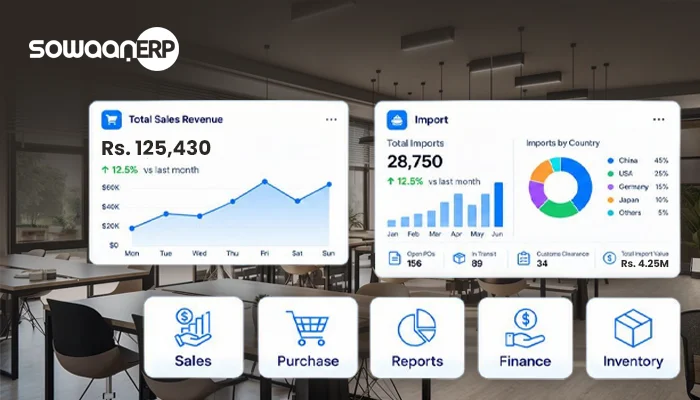
Keeping a growing enterprise on track involves far more tasks than closing sales and balancing books. Staff, stock, buying, clients, vendors, property, project schedules, ledger entries, and performance reports all demand regular attention. Handling all those pieces across disconnected tools and independent workbooks can make reliable, accessible business records tough to sustain.
ERP addresses this specific operational headache.
The letters ERP stand for Enterprise Resource Planning. Broadly speaking, this software ties scattered functional areas into a shared hub, giving companies one space to run daily transactions, processes, records, and workflows.
Instead of dividing daily work between dedicated books, a stock tool, separate HR sheets, and manual spreadsheets for buying and reporting, an ERP can unite every function.
For Pakistani enterprises shifting from unwritten habits or ad-hoc sheets into formalized digital setups, an ERP can prove especially helpful. What is happening across Pakistan’s public-sector digital drives shows just how much connected digital setups and technology-enabled processes are growing in importance.
Find out which of your operations eat up the most manual labor before you purchase an ERP solution. That list could cover anything from balancing stock numbers and sorting payroll to clearing purchase requests, assembling finance reports, or handling customer files. Whatever those problem workflows are, assess any prospective ERP directly against them.
What Does ERP Actually Mean?
At its most basic, an ERP is simply software that sits at the center of how a business is run.
Say a Pakistani distributor takes an incoming request from a buyer.
The order is entered by the sales group. Someone in the warehouse must see if those goods are ready to ship. In cases where quantities run low, purchasing may need to go out and buy fresh stock. Meanwhile, the finance desk must take care of the appropriate invoice and record payment data. From there, leadership may look for the transaction across sales, inventory, receivables, and profitability figures.
When an organization lacks an integrated system, different teams may handle their chunk of the process by themselves.
These distinct actions can be tied together on a single platform once ERP is in place.
As a result, details entered for one process can flow to another group without the need to key them in a second time.
How Does an ERP System Run?
An ERP platform bridges the gap between staff, working processes, and company data.
Team members carry out their regular daily operations inside the software. It is the business processes that govern how transactions pass from department to department. From there, leadership can turn the collected data into reports and analytical insights.
For example:
Order Placed → Sales → Warehouse Stock → Fulfilment → Billing → General Ledger → Executive Report
An ERP platform bridges these separate operations, replacing isolated documents with a single joined-up workflow.
Company leadership can get a much clearer vantage point on operations as a whole.
A modern ERP platform may connect:
- Accounting records and company finance
- CRM together with sales pipelines
- Procurement
- Inventory
- Human resources
- Payroll
- Projects
- Manufacturing
- Assets
- Customer support
- Management dashboards and standard reporting
Along with industry-specific ERP solutions, the Pakistan platform of SowaanERP uses this modular approach to provide core modules like Accounts, Stock, CRM, Buying, HR, Projects, Support, and Assets.
Work through your operational workflows step-by-step prior to any ERP configuration. Software simply functions better when staff already have a clear picture of how interoffice communications and data currently travel.
What Are an ERP’s Primary Modules?
Most ERP platforms are designed around individual modules rather than a single block. As a result, a company only needs to implement the specific capabilities its daily operations require.
Accounting and Finance
Daily financial operations run through the accounting module, which takes care of areas like:
- General ledger
- Accounts payable
- Accounts receivable
- Invoices
- Payments
- Journal entries
- Financial reports
- Expense tracking
Tying accounting directly into inventory, purchasing, and sales ensures finance staff work with data that originates in live business transactions.
In the Pakistani market, this setup also helps finance departments structure their records instead of maintaining piles of disconnected spreadsheets.
Inventory Management
Stock control is a non-negotiable part of doing business for anyone buying, storing, producing, or retailing goods.
With an ERP inventory module, teams are better equipped to oversee:
- Stock quantities
- Warehouses
- Stock movements
- Batches
- Serial numbers
- Product locations
- Stock transfers
- Inventory valuation
Tracking for batches, serial numbers, locations, and inventory shifts is included as standard stock functionality in SowaanERP’s Pakistan modules.
If recurring stockouts, surplus goods, unexplained inventory variances, or tedious manual reconciliations plague your business, put inventory tools at the top of your review list during an ERP demo.
Procurement and Buying
Buying activities throughout a business are governed by procurement.
A typical purchasing workflow can include:
Internal Requisition → Supplier Quotation → Purchase Order → Delivery Receipt → Supplier Invoice → Final Payment
By bringing these steps together, an ERP gives a business a much clearer view of what got requested, bought, accepted, and paid for.
Sales and CRM
A sales and CRM module takes care of customer details, leads, pipeline opportunities, quotes, orders, ongoing messages, and account relations.
Tying CRM data into the accounting ledger helps businesses see what clients are transacting far more clearly.
HR and Payroll
Staff-related tasks can be overseen through HR features, such as:
- Employee records
- Attendance
- Leave
- Recruitment
- Payroll
- Expenses
- Performance
- Employee information
Through an integrated HR ERP setup, companies can plug their staffing workflows directly into core business operations.
On the Pakistan platform, SowaanERP provides HR tools built to handle leave, staff attendance, expense claims, payroll, hiring, and appraisals.
Project Management
Dedicated project modules let businesses coordinate their tasks, schedules, staffing, expenses, and surrounding project details.
That works well for building contractors, professional service providers, creative agencies, engineering firms, and similar project-led operations.
Manufacturing
Manufacturing features inside an ERP connect shop-floor operations with stock tracking, raw supplies, purchasing, and final costs.
SowaanERP’s Pakistan software features manufacturing ERP tools dedicated to shop-floor workflows, material planning, scheduling, and tracking work orders.
What Are the Real Benefits of ERP Software?
What an organization gets out of ERP hinges on what it needs, how the rollout goes, how clean the data is, and whether staff actually adopt it. Even with those variables, adopting an integrated ERP system can open up multiple operational benefits.
Centralized Information
Company data sits in one central location with an ERP.
Employees with the right clearance can view relevant information right in the system, bypassing the need to request separate files from other departments.
Less Duplicate Data Entry
Separate, unlinked systems can force staff to type the identical information into multiple places.
ERP ties different workflows together, letting data carry over into each relevant process.
Better Business Visibility
Through ERP dashboards and reports, leadership can keep track of areas including:
- Revenue
- Expenses
- Inventory
- Purchasing
- Receivables
- Sales
- Payroll
- Projects

Faster Reporting
Having your data integrated can take the friction out of reporting by removing the need to stitch multiple spreadsheets together by hand.
Improved Scalability
Growth in a company can bring higher volumes of transactions, staff members, products, clients, vendors, and branch offices.
Managing that kind of expansion is easier with a scalable ERP system, which provides an orderly foundation for it.
Do not treat a completed system launch as the only sign that an ERP was successful. Base your evaluation on staff adoption rates, any drop in manual tasks, gains in reporting quality, and the speed at which management gets usable data.
ERP vs Excel: What Distinguishes the Two?
For business purposes, Excel still holds real value. Even so, spreadsheets fall short when relied upon as the primary tool to handle intricate, interconnected business processes.
Excel-Based Management | ERP System |
Separate files | Centralized platform |
Manual updates | Connected workflows |
Multiple versions | Shared records |
Manual reporting | System-generated reports |
Limited workflow automation | Automated workflows |
Difficult cross-department visibility | Integrated information |
Manual reconciliation | Connected transactions |
Can become difficult to scale | Designed for business growth |

The issue is not that Excel is inherently unsuitable.
The issue is whether spreadsheets can continue supporting the organization’s operational complexity.
When you only have five people, spreadsheets can be plenty to run the business. If you have several departments, hundreds of staff, multiple warehouses, big inventories, and thousands of transactions, a more integrated setup may be required.
Wanting to be rid of Excel is no reason to put an ERP system in place. Look at where your current way of doing things falls down first, and make sure you know how ERP is going to fix that.
ERP and Accounting Software: How Do They Differ?
The main emphasis of accounting software is managing finances.
ERP is broader.
An ERP platform can link your accounting data with:
- Inventory
- Procurement
- Sales
- CRM
- HR
- Payroll
- Manufacturing
- Projects
- Assets
A single sale, for example, can update your stock and your books at once. Buying something can update procurement, inventory counts, vendor files, and finances in one go.
This level of connection is a major factor separating an ERP platform from standalone accounting software.
What Sets HR Software Apart from ERP?
Managing workers and the overall workforce is what HR software does first and foremost.
It may handle:
- Employee records
- Recruitment
- Attendance
- Leave
- Payroll
- Performance
- Employee expenses
ERP steps in by bridging each of these HR workflows to the rest of the company.
Payroll spending, as one example, can flow into corporate reporting, while staff records tie into company structures and active projects.
Any company shopping exclusively for HR capabilities can take a look at SowaanERP’s standalone HR software.
Cloud ERP vs On-Premise ERP
Companies can roll out ERP software across a few distinct deployment models.
Cloud ERP
Because cloud ERP lives on remote cloud infrastructure, people simply access it through an internet connection.
Potential advantages include:
- Remote accessibility
- Scalability
- Centralized updates
- Lower need for on-site server hardware
- More straightforward access for staff across different locations
SowaanERP markets its Pakistani platform as a modular, cloud-based ERP built to suit organizations across diverse industries and scales.
On-Premise ERP
Under an on-premise model, the ERP software lives on and is run from a company’s internal equipment.
You get closer oversight of your own equipment this way, but keeping up with physical servers, system updates, regular backups, and technical admin can demand extra resources.
Which ERP Setup Suits Your Business Best?
No single deployment works for every company.
Businesses should consider:
- IT resources
- Security requirements
- Budget
- How employees will connect from outside the office
- Size of the user base
- Scalability
- Integration requirements
- Maintenance responsibilities
Base your decision on the full cost of ownership, not just what the software costs on day one.
What Explains the Move Toward Digital ERP Across Pakistan’s Business Sector?
Digital shifts are playing an ever-larger role in how businesses in Pakistan run.
Back in August 2026, Pakistan’s Ministry of Information Technology and Telecommunication joined Meta in announcing the Small Business Growth Academy, framing it as a way to assist Pakistani SMEs with digital transformation while urging businesses to tap into digital and AI-enabled tools to work more productively and broaden their market reach.
ERP falls under this wider trend.
In practical terms, going digital allows companies to leave patchy, manual handling behind in favor of organized information and joined-up processes.
Public-sector tenders provide further proof that ERP systems are being put to practical use in Pakistan. Pakistan Revenue Automation, to cite one case, issued a 2026 notice to buy and set up an ERP system.
Meanwhile, the Pakistan Bureau of Statistics is creating an ERP Survey Solution that brings survey design, on-the-ground collection, staff management, tracking, and outputs together.
Do not frame ERP as merely a technical exercise. Make it a business process initiative, drawing in finance, HR, operations, sales, procurement, management, and the actual end users.
How Does ERP Play into Digital Transformation?
Simply moving paper documents into digital formats does not constitute digital transformation.
It means making actual improvements to the way business processes run.
Consider a traditional process:
A customer contacts via Phone/WhatsApp, a salesperson logs it into a spreadsheet, passes it to the warehouse, then finance, ending in a manual report.
An integrated process could look like:
The chain moves from customer into the CRM, generates a sales order, checks inventory, triggers delivery, issues an invoice, updates accounting, and populates the dashboard.
The latter method ties information together into a single, cohesive flow.
That way, management can see what is happening across the entire company without having to round up data manually from each department.
What Should Pakistani Companies Look for When Choosing ERP Software?
Before picking an ERP platform, a business ought to assemble a workable checklist for evaluating systems.
☐ Financial management and accounting
☐ Inventory management
☐ Procurement
☐ Sales operations and CRM
☐ Payroll plus HR functions
☐ Project management
☐ Manufacturing (only if needed)
☐ Dashboards paired with reporting
☐ Role-based permissions
☐ Multi-branch functionality
☐ Integrations
☐ Data migration
☐ System security along with backups
☐ Scalability
☐ Implementation support
☐ User training
☐ Post-implementation support
Shortlisted ERP platforms should next be put through practical, real-world workflows by the business.
Senior management should not be the sole group evaluating the platform. Set up genuine daily duties for an HR manager, warehouse hand, salesperson, finance worker, and operations manager to complete directly in the system.
What Is the Cost of ERP Software in Pakistan?
An ERP’s final price tag reflects what each individual organization actually requires.
The total cost can depend on:
- Count of active users
- How many modules are selected
- Implementation requirements
- Customization
- Integrations
- Data migration
- Training
- Support
- Number of branch sites
- Deployment model
A 10-user outfit using only a few modules has needs that contrast sharply with a multi-branch manufacturer employing hundreds of people.
Looking only at the subscription or licensing price tag misses the point; companies need to look at the total cost of ownership.
How Much Time Does an ERP Implementation Require?
ERP implementation follows no set schedule.
Two main factors dictate the schedule: organizational scale and operational complexity.
A typical implementation may include:
- Requirement gathering
- Process analysis
- ERP configuration
- Data cleaning
- Data migration
- User setup
- Integration
- Testing
- Employee training
- Go-live
- Post-launch support
Deploying an ERP for a modest operation with standard workflows can wrap up quicker than a large rollout featuring legacy data, multiple sites, custom workflows, and several integrations.
Do not skimp on thorough testing and user training merely to speed up the ERP launch. Inadequate preparation can quickly derail operations once you go live.
Common ERP Implementation Mistakes
When an organization fixates on the software itself and ignores the staff and their processes, an ERP project can collapse.
Unclear Requirements
Before committing to a system, businesses have to clarify their actual needs.
Poor Data Quality
Data in legacy spreadsheets is often rife with duplicates, gaps in information, out-of-date records, and clashing formats.
Insufficient Training
Instruction needs to be grounded in practice and directly tied to what workers are actually responsible for.
Too Much Customization
While tweaking the software is often helpful, too much of it can pile on complexity, inflate costs, and demand extra upkeep.
Lack of Management Involvement
More than one department is affected by ERP. Those in charge must take part in core decisions and iron out conflicts between workflows.
Buying an ERP system does not mean digital transformation happens by itself, so do not count on that outcome. When an implementation is poorly thought through, it often just transfers broken, inefficient habits onto a new platform.Buying an ERP system does not mean digital transformation happens by itself, so do not count on that outcome. When an implementation is poorly thought through, it often just transfers broken, inefficient habits onto a new platform.Buying an ERP system does not mean digital transformation happens by itself, so do not count on that outcome. When an implementation is poorly thought through, it often just transfers broken, inefficient habits onto a new platform.
How ERP Serves CEOs and Managers
What executives require is a bird’s-eye view across the business, not bits of information trapped inside individual units.
Through ERP dashboards, management has the potential to keep an eye on:
- Revenue
- Profitability
- Cash flow
- Inventory
- Sales
- Procurement
- Outstanding receivables
- Expenses
- Employee costs
- Project performance
Centralized reports allow managers to look up details directly, without waiting on separate briefings from individual units.
Just how effective these dashboards are will come down to baseline data hygiene and how the ERP platform was structured.
Why SowaanERP for Pakistani Businesses?
In the Pakistani market, SowaanERP pitches its product as a cloud-native ERP platform tailored for SMBs and enterprise companies. Users in Pakistan get access to accounting, stock, CRM, buying, HR, projects, support, asset management, and dedicated industry modules.
The website for Pakistan notes local business support, too, listing office locations and contact points in Karachi and Lahore.
Built out of separate modules, the software lets businesses adopt only the tools that apply to them and scale up as needs change.
When assessing an ERP, a company in Pakistan fundamentally needs to know if the system can accommodate its true operational workflows.
Ready to leave disjointed operations behind?
Unite accounting, inventory, sales, procurement, HR, projects, and the rest of your primary business processes under one connected ERP roof.
ERP Implementation Checklist for Pakistani Businesses
Before moving forward with an ERP project, review the following:
☐ Identify current business problems
☐ Document key workflows
☐ Define required modules
☐ Identify users and departments
☐ Review branch requirements
☐ Clean existing data
☐ Define reports and dashboards
☐ Identify integrations
☐ Review security requirements
☐ Compare implementation support
☐ Test real business scenarios
☐ Train employees
☐ Establish post-launch support
Look first at the workflows that make the biggest difference to how the company actually runs. Trying to overhaul every single operation in one go makes little sense if the business cannot absorb it.
Wrapping Up: What Is ERP and Why Does It Matter?
Though it expands to Enterprise Resource Planning, an ERP does a great deal more than merely warehouse corporate information.
Under the right setup, an ERP system links CRM, manufacturing, projects, HR, payroll, sales, procurement, inventory, finance, and other business processes together inside one space.
In the context of Pakistani commerce, this creates an organized way to scale while breaking the habit of using unlinked spreadsheets and standalone software.
Even so, buying an ERP is only part of what makes this work.
Successful implementation also depends on:
- Clear requirements
- Accurate data
- Well-designed processes
- Employee training
- Management involvement
- Appropriate configuration
- Ongoing support
Fit with the company should guide how you judge an ERP system, not a raw count of what it can do.
ERP does not exist just to put every process on autopilot without thought. Instead, it aims for a joined-up organization: workers have clearer facts to act on, workflows are less cumbersome, and management can track results directly.
FAQs
Written in full, ERP reads Enterprise Resource Planning. It points to applications that run several company functions out of one central system.
Business operations like accounting, inventory, sales, procurement, HR, payroll, manufacturing, projects, and reporting are brought together by an ERP system.
Companies use ERP software to coordinate their daily operations, get a clearer view of information, automate manual workflows, and build reports.
Yes. When the software genuinely fits their needs, small businesses can find ERP to be a good match. Because modular ERP lets companies start with the features they need right away, they can simply add more as the business grows.
Financial management is the main thing accounting software is designed to handle. ERP is wider in scope, bringing accounting together with other business functions such as inventory, procurement, sales, HR, CRM, manufacturing, and projects.
Managing people and workforce processes is the chief concern of HR software. ERP, on the other hand, can pull HR together with accounting, payroll, projects, procurement, sales, and other business operations.
When an organization requires system management from a central hub, scalable capacity, remote entry, and fewer local servers to maintain, cloud ERP can prove appropriate. An organization’s particular requirements determine which deployment model proves suitable.
User volume, selected modules, rollout services, custom work, software integrations, data migration, staff instruction, ongoing support, and deployment type all drive differences in ERP costs. Prior to reaching a decision, businesses ought to solicit an exhaustive breakdown of total costs.
A company’s size, its module count, and the specific demands of data migration, integrations, customization, testing, and training all determine the overall rollout window.
Yes. Numerous ERP solutions offer dedicated HR and payroll features directly, or alternatively interface with standalone HR tools. Designed for the market in Pakistan, SowaanERP features native HR utilities for processing payroll, tracking attendance and leave, handling recruitment, managing expenses, and conducting performance evaluations.
Yes. Because ERP brings purchasing and inventory under connected workflows, businesses can follow procurement needs, vendor activity, receipts, stock tallies, and associated financial records without interruption.
Multi-branch operations are widely supported across different ERP software. Before rolling out the system, a business must verify what the ERP provider delivers in terms of individual branches, company entities, access permissions, reporting, and accounting.
Look at the modules, capacity to scale, integrations, vendor implementation support, data transfer, security posture, user training, after-sales support, custom configurations, deployment setups, and the full cost of ownership.
By linking business processes with the information behind them, ERP gives organizations a way to run daily operations through a more integrated, central system.

