 Skip to main content
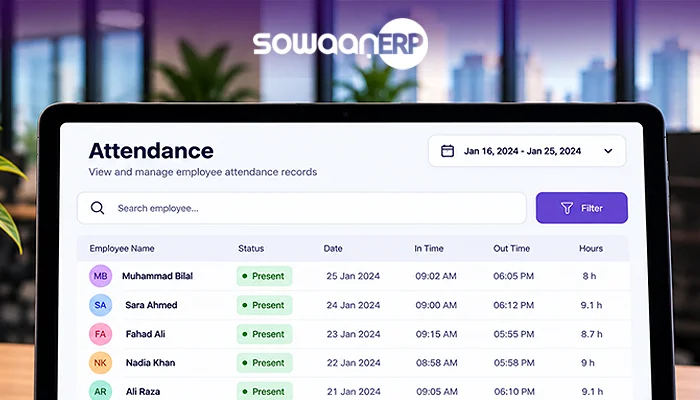
Managing attendance of employees is a key element of workforce management. However, in Pakistan, many companies are still using paper registers, excel sheets, biometric machines alone or even manually-maintained timesheets. They are good for a small team but larger the team more difficult will be to manage these methods.
This results in additional hours and workload for HR and finance teams as a result of late arrivals, missed check-ins, incorrect overtime calculations, lost punches and payroll data. They may also cause disputes among employees and errors in calculating the salary.
Attendance Management Software helps businesses automate the time tracking process, monitor employee work hours, manage shifts, track attendance and integrate with human resource and payroll software.
For a Pakistani company with multiple offices, branches, factories, warehouses, construction sites, etc., and operating across these multiple entities, an automated attendance system can provide greater visibility into the workforce and provide more accurate attendance records.
Businesses exploring broader HR automation can also review SowaanERP’s HR software to understand how attendance can fit into an integrated HR and business management environment.
What Is Attendance Management Software?:
Attendance Management Software (AMS) is an electronic tool for tracking, recording, organizing, and analyzing employee attendance details.
It can record the time in/out of employees using various techniques such as:
- Biometric fingerprint devices
- Facial-recognition terminals
- RFID cards
- Mobile applications
- Web-based attendance portals
- QR codes
- GPS-enabled attendance
- Integrated access-control devices
After attendance was obtained, the system can compile records and reports in a useful manner. It can also, depending on the software, calculate working hours, lateness, absences, overtime, breaks, and shift information.
Employee attendance management software is more than just a time clock machine; it allows attendance information to be synced to employee profiles, leave requests, payroll calculations, HR reporting and workforce planning.
Keep in mind: Biometric device is for recording attendance data and attendance management software is for processing, managing, reporting and integrating that data with other business functions.
Attendance Management Software is a must-have for any Pakistani business for the following reasons:
In Pakistan, companies may have multiple workstations, different employee shift timings and arrangements. A store line might have workers at a number of stores, or a factory might have workers on various shifts. Construction firms might have to track workers across various projects, logistics firms might have to track drivers, warehouse workers and field teams.
In such cases the manual attendance system can be difficult.
Common problems include:
- Incomplete attendance records
- Double or incorrect data entry
- Manual calculation errors
- Unapproved overtime
- Delayed payroll preparation
- Difficulty monitoring remote employees
- Limited visibility of patients in the queue to be treated across branches
- Time-consuming attendance reconciliation
- Staff complaints about hours worked
- Limited knowledge of how to address absenteeism within the school environment.
An automated attendance management system can streamline attendance details and allow HR managers, supervisors, and business owners to more easily manage workforce attendance.
The first step is for businesses to determine their largest issues with attendance and then use that as the basis for choosing software. The company may require advanced scheduling if they have more than one shift, or GPS or mobile attendance if they have employees working in the field.
The main features of Attendance Management Software are as follows:
Modern attendance management software can do more than just check-in and check-out. The most helpful ones will rely on the scale of the enterprise, the makeup of the workforce, the sector, and current HR systems.
1. Automated Employee Attendance Tracking:
The system automates the process of capturing employee attendance, and helps minimize reliance on paper attendance lists or manually maintained spreadsheets.
HR can access attendance data in a single location, including:
- Check-in and check-out times
- Employees working on the premises and those who are not.
- Late arrivals
- Early departures
- Missed punches
- Total working hours
- Attendance exceptions
This saves time from having to gather attendance from various departments.
2. Biometric Attendance Integration:
Attendance software can be integrated with compatible biometric devices like fingerprint or facial recognition devices.
Biometric integration can be used to mitigate some attendance fraud, such as proxy punching or “buddy punching” (when one employee punches for another.)
Prior to implementation, however, device accuracy, environmental factors, employee consent, data protection and configuration of the system should be taken into account.
3. Shift and Schedule Management:
For businesses that have varying or irregular working times, a regular attendance register isn’t enough.
Attendance software can aid in managing:
- Shifts in the morning and in the evening
- Rotating schedules
- Night shifts
- Weekend schedules
- Split shifts
- Flexible working hours
- Shift changes
- Grace periods
- Break schedules
For instance, a manufacturing plant could have a different production schedule for its production teams, maintenance teams, and warehouse workers. A centralized system can enable managers to keep an eye on how the employees are working within their allotted schedules.
4. Overtimes and Working Hour Calculation:
Calculating overtime by hand can be a time-consuming task potentially causing payroll discrepancies.
Attendance software can also, depending on rules configured, automatically track the working hours and overtime based on the approved schedule and attendance.
Managers should still take a look at overtime approvals and make sure that the system aligns with the company’s employment policies and legal requirements.
Attendance software does not just automatically ensure employment law compliance. Businesses need to set up rules properly and check rules as per relevant requirements.
5. Leave and Absence Management:
Attendance will be useful when linked to leave management.
Leave, sickness, public holidays or other valid reasons may be the causes for absence. In the absence of an integrated system, HR teams might have to cross-check attendance records with different leave documents.
An integrated system can be used to help differentiate between:
- Approved leave
- Unapproved absence
- Late arrival
- Early departure
- Missing attendance entry
- Holiday schedules
- Attendance corrections
This can help to ensure the accuracy of attendance reporting and minimise unnecessary follow-up.
6. Employee Self-Service:
Employee self-service features enable employees to get relevant HR details without relying on the HR department completely.
Employees may be able to:
- View attendance records
- Submit attendance corrections
- Request leave
- Check working hours
- Review schedules
- View payslips
- Modify personal data that has been selected.
For companies looking for more comprehensive HR automation, HR core modules can give more context as to how the information of the employees, attendance, payroll, leave, and other HR processes can work together.
The Attendance Management Software and Payroll Accuracy:
Payroll preparation can be directly impacted by attendance data.
Some of the determinants of employee salaries include:
- Days worked
- Unpaid leave
- Approved overtime
- Late arrivals
- Absences
- Shift allowances
- Working hours
- Attendance-based deductions
If attendance data is entered manually, HR and finance departments might have to input and export data from spreadsheets into payroll software. This opens the door for potential errors.
Completely connected hr and payroll software can minimize the amount of duplicate data entry, since approved attendance data feeds into payroll processes.
For instance, an employee can clock in for overtime when necessary and the attendance system will keep track of the overtime hours. Payroll staff can then check the information before adding the appropriate amount to payroll processing.
Attendance information should go through an approval and verification process prior to usage in the payroll system. Automation must not take the place of necessary checks.
Cloud Attendance Management Software: Traditional vs Cloud:
Typically, companies consider two deployment options: on-premise solutions and cloud-based attendance platforms.
Traditional / On-Premise Attendance Systems:
Traditional systems can rely on local servers, designated office computers or attendance devices set up in a central location.
Potential advantages include:
- Improved access to training resources, including both local and external ones provided by partners.
- Easy-to-use interface
- Accessibility locally, in the presence of the network.
But those systems will require extra maintenance, hardware management, backup and IT support.
Cloud-Based Attendance Systems:
Cloud attendance software is deployed on a remote server through the Internet.
Potential benefits include:
- Accessible from various locations
- Easier multi-branch monitoring
- Centralized data
Lower local server reliance:
- Automatic software updates
- Flexible scalability
- Simplified access of the data by authorized users remotely
Cloud-based systems might offer easier access to attendance records for Pakistani businesses that have several branches or departments.
But before selecting a solution, organizations must consider the reliability of the Internet, functionality without an Internet connection, data security, vendor support and backup policies.
Different Industries in Pakistan and the role of attendance software in supporting them:

Manufacturing:
Manufacturing companies are usually expected to deal with various shifts, production workers, maintenance teams, and warehouse workers.
Attendance software can be utilized to help track shifts, hours and overtime, as well as absenteeism. Increased attendance transparency could also enable production managers to spot staffing shortages.
Construction:
Construction companies can have several job sites. Manual registers can cause problems for head office staff in checking attendance at every location.
Companies with multiple work locations might need mobile attendance, GPS check-ins or site-specific attendance records.
Retail:
A multi-location, multi-shift retail business must track workers in various locations at varying shifts.
Attendance software can give branch managers the opportunity to view employee schedules, lateness, absences and shift coverage.
Logistics and Transportation:
For logistics companies, there can be varying working hours for drivers, warehouse workers, dispatch team, and field workers.
Mobile attendance tracking and shift-scheduling can help businesses keep a better grip on worker availability.
Healthcare:
They can be hospitals, clinics and healthcare organizations that can be open all day, every day. Attendance software may be able to help with rotating schedules, night shifts, on call teams and attendance reporting.
Education:
Attendance systems can be utilized by schools, colleges, training organizations and other institutions to track administrative staff, teachers, support personnel and other employees.
Choosing the best attendance management software:
Choosing top HR software in Pakistan or the optimal attendance system should not be limited to comparing mere features.
Businesses should evaluate the following areas:
| Evaluation Area | Questions to Ask |
| Workforce size | Can the system support the number of employees? |
| Locations | Can managers monitor multiple branches or sites? |
| Devices | Does it support existing biometric hardware? |
| Mobile access | Can field employees record attendance securely? |
| Shift management | Can it handle rotating and overnight shifts? |
| Payroll integration | Can approved attendance data support payroll processing? |
| Reporting | Are useful attendance and exception reports available? |
| Employee self-service | Can employees submit corrections and leave requests? |
| Security | Are access controls, backups, and audit trails available? |
| Scalability | Can the system support future business growth? |
| Support | Is implementation and post-launch support available? |
Companies should also request a product demonstration and test the system with realistic attendance scenarios before making a final decision.
Attendance Data Security and Privacy Considerations:
Attendance systems may contain sensitive employee information, including identity details, attendance history, work schedules, location data, and biometric information.
Businesses should therefore assess the security controls provided by the software vendor.
Important considerations include:
- Role-based access
- Secure authentication
- Data encryption
- Regular backups
- Audit trails
- Controlled data exports
- Device security
- Data retention policies
- Vendor access controls
- Employee privacy procedures
Biometric and GPS-based attendance require particular care because they may involve sensitive personal information.
Collect only the attendance information the business genuinely needs, explain how the information will be used, and restrict access to authorized personnel.
For general information about data protection principles, businesses can review the International Labour Organization’s resources on digitalization and the world of work.
As you prepare to implement attendance software, you should know its common challenges, such as:
It may be said that automation can enhance the attendance management but it is required to have some planning to make it implementable.
Employee Resistance:
There can be a fear that new attendance systems or biometric systems or mobile tracking will be used. The purpose of the system should be communicated to the businesses and how attendance data will be used.
Incorrect Policy Configuration:
A grace period can be set, shifts can be assigned, holidays may be defined, overtime rules configured, as well as leave policies, which if not set up correctly, will result in poorer reporting accuracy.
Hardware Compatibility:
There may be incompatibilities with the chosen software with existing biometric devices. Prior to buying or systemizing the platform, company owners need to check on compatibility.
Weak Data Migration:
Many records of attendance may have been duplicated, or some may not have been recorded, or there may be inconsistencies in employees’ names. It is important to review data prior to migration.
Insufficient Training:
HR teams, managers and employees should be practically trained regarding attendance procedures, corrections, approvals, etc., and reporting.
Adoption of the technology and organization are necessary for a successful implementation. Staff and managers need to be aware of how the system operates prior to its introduction into the day to day operation.
Here are some tips on how to successfully implement an Attendance Management system:
There can be minimisation of disruption with a structured implementation process.
The first step is to “Review Existing Attendance Processes”
Record a description of current attendance documenting; how attendance is currently recorded, how it is corrected, and how it gets to payroll.
Step 2: Determine Business Requirements:
Identify the need for biometric devices, mobile attendance, GPS restrictions, shift scheduling, multi-branch reporting and payroll integration.
Step 3: Clean Employee Data:
Check employee names, departments, positions and employee ID numbers, schedules and current attendance records.
Step 4: Configure Policies:
Configure working hours, shift, holiday, grace, overtime and approval flows.
Step 5: Test the System:
Try out various scenarios, such as missed punches, late arrivals, overnight shifts, leave requests and overtime.
Step 6: Train Users:
Train HR, manager, supervisor and employees.
Step 7: Run a Parallel Review:
For a certain time initially, examine the automated records against current procedures, to identify issues before you go all the way.
Step 8: Monitor and improve:
After implementation, check attendance reports, staff feedback, accuracy of payroll and system performances.

The attendance management software cost in Pakistan varies based on the specific features and providers. The cost of attendance management software in Pakistan depends on the features and supplier.
Depending on the type of software, the number of employees, the features, hardware, software integrations, and the support needed, attendance software can cost anywhere from $40 to $100 per person each month.
Some of the most common cost considerations are:
- Number of employees
- Number of branches
- Biometric device requirements
- Mobile attendance functionality
- Cloud subscription fees
- On-premise licensing
- Payroll integration
- Data migration
- Customization
- Implementation services
- Training and support
A small company with a single office might just need basic attendance recording, a large organization might look for biometric integration, multiple offices, enhanced reporting options, shift management and payroll integration.
It’s important for businesses to ask for a breakdown of the software, hardware, implementation, customization, and support costs.
How to measure Return on Investment (ROI) for attendance management software:
The benefit of attendance automation can be calculated by businesses by contrasting the value they get before and after attendance automation.
Useful indicators include:
- Improved efficiency and accuracy in HR processes
- Fewer payroll corrections
- Reduce time creating attendance reports
- Improved overtime visibility
- Faster attendance approvals
- Reduced attendance disputes
- Better workforce planning
- Improved branch-level reporting
- Decreased reliance on spreadsheets
For instance, HR professionals used to spend hours every week gathering and reconciling the attendance record and automation can help minimize that burden.
But ROI should be based on real business numbers, instead of presumed savings.
What are the reasons to opt for an Integrated HR and Attendance solution?
For companies with more simple time tracking requirements, standalone attendance software might be enough. But businesses that are expanding can benefit from integration with employee attendance and employee records, leave and payroll, recruiting, performance and other HR related functions.
An integrated platform can help minimize duplicate entry of data and help create a more uniform employee information structure.
Businesses exploring broader workforce automation can review workforce management software to understand how HR and workforce processes can be managed through connected systems.
For organizations seeking a more comprehensive HR technology strategy, HR management best practices can also provide useful context for evaluating process improvements.
Frequently Asked Questions About HR Payroll Software in Pakistan
Attendance Management Software is an electronic system designed to capture, track, supervise and report the attendance, working hours, shifts, absences, overtime, etc., of employees.
Attendance data is captured in the system via biometric devices, mobile apps, web portals, cards or other approved means. It then structures the data into attendance records, reports and, if applicable, workflows for paying.
Depending on software and the available integrations, yes. Attendance data can be linked to HR, payroll, accounting, workforce management, or ERP (enterprise resource planning) systems.
While there are plenty of attendance platforms that are compatible with biometric devices, businesses need to make sure that their fingerprint, facial-recognition, RFID or access-control hardware is compatible with the platform.
Shift scheduling, working hour calculation, overtime and attendance exceptions are many systems supported. The functionality available depends on the platform, and its setup.
Security features of cloud attendance software can involve information protection, access control, data backup, as well as audit trails. Prior to implementation, businesses should consider the security measures that the vendor employs.
Attendance software can manage working hours, absences, approved overtime and any other attendance-related data that might need to be used for payroll calculations.
There are some systems that support mobile attendance via mobile applications or web portals. GPS, geofencing, offline attendance, approval workflows are just a few features that vary by provider.
The time required for implementation varies with the number of employees, the locations, hardware, data migration, integrations, customisation and training needs. A simple deployment can be done before a multi-branch deployment.

